On August 9, 2025, after more than two years of development, the Debian project unveiled its latest stable release: Debian 13, codename “Trixie”. This new version arrives packed with innovations, updated software, strengthened security, broader architecture support, and a cleaner user experience. Here’s the full breakdown of what makes Trixie stand out — and why it matters to users looking for rock-solid, modern Linux.
1. Long-Term Support & Release Cadence
Debian 13 “Trixie” enters the scene with a reliable support roadmap:
- 5 years of support, divided into:
- 3 years of full support
- 2 years of Long-Term Support (LTS)
This extended maintenance period ensures Debian remains a dependable foundation for servers, desktops, and production systems.
2. Updated Desktops: Sleeker, Smarter, Faster
Trixie delivers the latest desktop technologies, offering users a polished experience right from installation:
- GNOME 48 – with digital wellbeing features like screen-time limits and grayscale modes.
- KDE Plasma 6.3, based on Qt 6 and KDE Frameworks 6 — smoother visuals and modern theming.
- LXDE 13, LXQt 2.1, and Xfce 4.20 round out the selection for lightweight, responsive environments.
3. Massive Package Refresh & Leaner Codebase
This release brings dramatic growth and cleanup under the hood:
- +14,100 new packages added;
- 8,840 packages removed as obsolete;
- 44,300 updated packages in total;
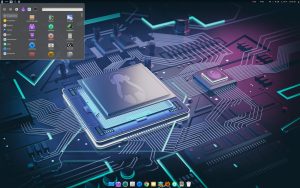
- The distribution now totals 69,830 packages and a code footprint of 403 GB / 1.46 billion lines.
The result is a leaner, more modern system that stays true to Debian’s versatile nature.
4. Modern Kernel & Up-to-Date Software Stack
Trixie includes a wealth of updated software versions across the board:
- Linux Kernel 6.12 LTS – real-time support, better modern hardware compatibility.
- Key core upgrades:
- GCC 14.2, Python 3.13, LibreOffice 25.2, GIMP 3.0.4, Inkscape 1.4
- OpenJDK 21, MariaDB 11.8, Nginx 1.26, OpenSSL 3.5, and more.
This brings current development tools, multimedia apps, and system services to the forefront — all on a stable foundation.
5. Architecture Enhancements
Debian continues expanding its hardware horizons:
- Official 64-bit RISC-V (riscv64) support, a milestone for open hardware compatibility.
- IPv64-time ABI adopted across supported architectures (excluding legacy i386), ensuring systems remain date-safe past 2038.
- MIPS architecture is now phased out; selective legacy support for i386 and armel remains only for compatibility.
6. Boot & Installer Upgrades
Installing Debian is smoother than ever thanks to:
- HTTP Boot support — install directly via UEFI/U-Boot without USB or CD.
- Better rescue tools for Btrfs and improved Secure Boot handling.
- Enhanced Apple hardware support (e.g. M1/M2 Mac keyboards).
These enhancements make installation more flexible and user-friendly.
7. Cleaner Temporary Storage
Trixie introduces a smarter approach to temporary files:
- /tmp mounted in RAM (tmpfs) by default — faster access, less disk wear.
- Automatic cleanup:
/tmpfiles older than 10 days/var/tmpfiles older than 30 days
This keeps systems clean, fast, and unobstructed by file clutter.
8. Smarter, More Intuitive APT
Debian’s APT saw a major refresh:
- APT 3.0 replaces 2.x, including a new solver for smarter dependency handling.
- Color-coded output, enhanced progress display, and repository modernization improve usability and readability.
- Deep backend changes:
- Switched to OpenSSL for better cryptographic support
- Introduced
modernize-sourcesfor easier repository configuration
9. Theme Evolution: “Ceratopsian” Artwork
Out with the old, in with the new: Debian 13 debuts the “Ceratopsian” theme, inspired by “Trixie” from Toy Story. This theme refreshes the look of wallpapers, the boot screen, and even GRUB and Plymouth visuals — giving the distribution a cohesive and modern aesthetic.
Final Thoughts
Debian 13 “Trixie” is a steady, refined update to one of Linux’s most crucial distributions. With extensive desktop upgrades, expanded architecture support, enhanced installation paths, a refreshed software stack, and long-term maintenance plans — Trixie embodies Debian’s core strengths while pushing it into the present.
Whether you’re setting up a server, upgrading a workstation, or building a fresh system, Debian 13 provides a trusted, modern foundation that respects performance, flexibility, and longevity.
** Download Debian 13 “Trixie”:**
https://www.debian.org/download

Edge AI vs Cloud AI in IoT: What’s the Difference and Why It Matters

Immutable Linux Distros Explained: The Image-Based OS Revolution in 2026
Immutable Linux distros have moved from a niche experiment to a mainstream desktop option in 2026. F…

GhostLock: A 15-Year Linux Kernel Bug Has a 5-Second Public Root Exploit
A Linux kernel vulnerability that has been hiding in plain sight since 2011 was publicly disclosed o…

How to Install Linux on a Laptop: A Step-by-Step Guide – 2026
Switching to Linux can breathe new life into an aging laptop, boost your privacy, and hand you full …

Pedit COW Explained: The Linux Kernel Flaw Letting Local Users Become Root
A new Linux kernel vulnerability nicknamed “pedit COW” has become one of the biggest sec…
The AUR Malware Attack Exposed a Fact Most Arch Users Don’t Know
Here is something most Arch Linux users have never thought carefully about: the Arch User Repository…
Ctrl+C Ctrl+V Not Working in Terminal? Here’s Why (Linux)
Ctrl+C Ctrl+V not working in terminal is one of the most common points of confusion for anyone new t…