Fedora Linux 44 has officially landed, and it’s one of the most feature-packed releases the community has seen in years. Released on April 28, 2026, Fedora Linux 44 delivers a sweeping set of improvements across the desktop, system plumbing, gaming performance, and cloud infrastructure — cementing the distribution’s reputation as the go-to choice for developers, power users, and Linux enthusiasts who want to live at the bleeding edge of open-source innovation.
Whether you’re a long-time Fedora loyalist or a curious newcomer considering your first Linux installation, this in-depth look at everything new in Fedora Linux 44 will tell you exactly what’s changed and why it matters.
A Quick Word on Fedora: Built for the Vanguard
Before diving into the specifics of Fedora Linux 44, it’s worth appreciating what makes Fedora different from other major Linux distributions.
Fedora was launched in 2003 as a community-driven continuation of the original Red Hat Linux line, after Red Hat shifted its focus to the enterprise-oriented Red Hat Enterprise Linux (RHEL). Sponsored by Red Hat (now part of IBM), Fedora has always served a dual purpose: a home for cutting-edge open-source technologies, and a proving ground for features that eventually find their way into RHEL.
Unlike Debian or Ubuntu’s approach of prioritizing stability above all else, Fedora ships the latest upstream software as quickly as possible. New kernel versions, new desktop environments, updated compilers, and modern libraries all arrive in Fedora before they hit most other major distributions. This philosophy makes Fedora an indispensable distribution for developers who need current toolchains and for contributors who want to help shape the future of Linux.
Fedora releases come on a roughly six-month cadence, with each release supported for approximately 13 months. That means Fedora Linux 44 users have plenty of runway before they need to consider upgrading to Fedora 45, which is expected around October 2026.
What’s New in Fedora Linux 44: The Highlights
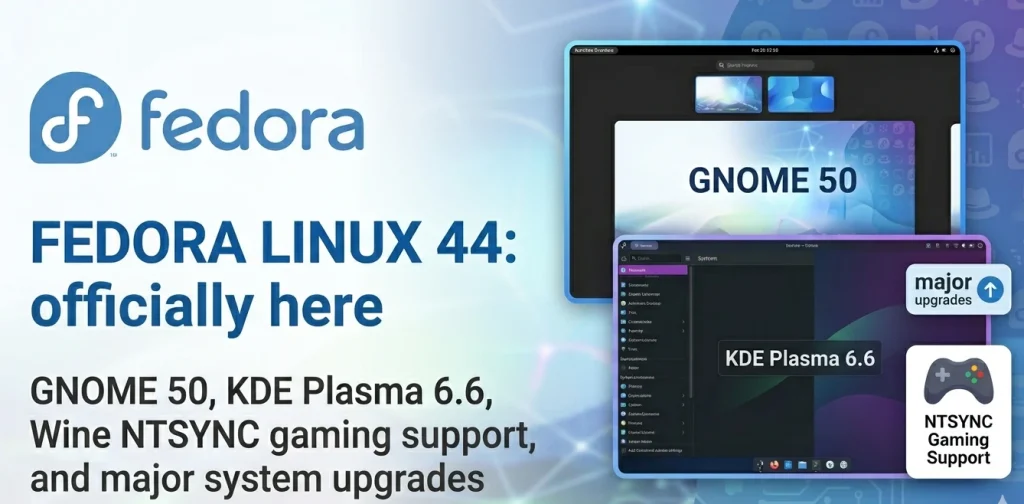
GNOME 50 “Tokyo” Arrives on Fedora Workstation
The flagship desktop edition of Fedora Linux 44 ships with GNOME 50, codenamed “Tokyo” — a milestone release that reflects six months of intensive development from the global GNOME community. For everyday users, GNOME 50 is the most significant desktop upgrade this release cycle, touching virtually every corner of the user experience.
Parental Controls: For the first time, GNOME includes comprehensive screen time monitoring and bedtime scheduling for child accounts. Parents can set automatic screen locks when time limits are reached, and the updated Parental Controls app sports a fully modernised interface. The underpinnings for future web content filtering have also been laid in this release.
Accessibility Leaps Forward: The Orca screen reader has been substantially revamped — settings are now global rather than per-application, automatic language switching has been added for web content, and Mouse Review finally works in Wayland sessions. A new “Reduced Motion” option in Settings gives users with motion sensitivity a smoother, less distracting experience.
Supercharged Remote Desktop: Hardware-accelerated video streaming via Vulkan and VA-API makes remote sessions dramatically faster and more responsive. New HiDPI support auto-scales remote desktops to your screen resolution, and camera redirection lets you use your local webcam in a remote session as if it were physically connected to the remote machine.
Files, Calendar, and Document Viewer Upgrades: GNOME’s Files app is faster and more stable, with snappier thumbnail loading, reduced memory usage, a reworked batch rename feature, and multi-filter search. Document Viewer gains a fully overhauled annotation system with support for text, lines, and highlights. Calendar now shows attendee lists, supports full ICS export, and respects the system-wide “first day of week” setting.
Display Tech Improvements: Variable Refresh Rate (VRR) and fractional scaling are now enabled by default in GNOME 50, benefiting users with compatible monitors. The low-latency cursor feature keeps mouse movement fluid at a monitor’s maximum refresh rate even when an application is rendering at a lower frame rate. NVIDIA users gain meaningful performance improvements through targeted workarounds for driver-related stuttering.
To learn more about the full scope of GNOME 50 changes, the official GNOME 50 release notes are worth a thorough read.
KDE Plasma 6.6 Powers the KDE Edition
If you prefer KDE over GNOME, Fedora Linux 44 also ships an updated KDE Plasma Desktop edition based on Plasma 6.6. The headline additions here are the new Plasma Login Manager and the Plasma Setup utility, which together create a more cohesive and polished first-boot experience. Setting up a Fedora KDE machine for a family member or a friend is now considerably simpler than it used to be.
Anaconda Installer Gets Smarter About Networking
A subtle but impactful change in Fedora Linux 44 affects how the Anaconda installer handles network devices. Previously, Anaconda would create default network profiles for every device it detected, regardless of whether the user configured them during installation. Now, it only creates profiles for devices that were actively configured — either through boot options, kickstart scripts, or manual UI interaction.
The result is a cleaner post-installation networking setup, which is particularly welcome for users who need to customise their network configuration after the fact. Less clutter means less confusion.
Under the Hood: System-Level Upgrades
Wine NTSYNC for Better Windows App and Game Performance
One of the most exciting low-level additions in Fedora Linux 44 is the enablement of the NTSYNC kernel module for select packages — most notably Wine and Steam. NTSYNC is a kernel-level synchronisation primitive that improves compatibility and performance when running Windows applications, especially games.
Better still, the implementation is fully automatic. When a package that recommends wine-ntsync is installed, the module is configured automatically on subsequent boots. Users do not have to manually enable anything or dig through configuration files — NTSYNC simply works, and Windows games run better because of it.
OpenSSL Certificate Loading Gets Faster
Fedora Linux 44 improves the startup performance of OpenSSL by adopting directory-hash support for CA certificates. In practical terms, this means applications that depend on TLS connections — which is basically everything on a modern system — may initialise slightly faster. This change also required some certificate bundle files to be relocated within the filesystem, so users who have automation scripts that reference specific certificate paths should review the relevant change documentation.
MariaDB 11.8 Becomes the Default
MariaDB packages in Fedora follow a versioned layout that allows multiple major versions to coexist. With Fedora Linux 44, the default “unversioned” MariaDB packages now point to version 11.8 rather than 10.11. Users upgrading from Fedora 43 will not notice any change; however, anyone doing a fresh MariaDB installation without specifying a version will now receive the 11.8 series, which brings modern performance improvements and extended feature support.
Fedora Cloud Moves /boot to Btrfs
For Fedora Cloud images that support it, the traditional /boot partition has been replaced with a Btrfs subvolume. This architectural change yields better disk space utilisation and produces smaller images overall — a meaningful benefit for cloud and containerised workloads where image size directly impacts deployment speed and storage costs.
Desktop Options Beyond Workstation and KDE
Fedora Linux 44 is available in a rich array of editions and spins, catering to a wide range of use cases and preferences:
- Atomic Desktops: Silverblue (GNOME), Kinoite (KDE), Cosmic, Budgie, and Sway provide immutable, container-native desktop experiences.
- Alternative Spins: Cinnamon, Xfce, Sway, and other community-maintained desktop environments are available for users who want something different.
- Server, Cloud, CoreOS, and IoT editions round out the portfolio for infrastructure and embedded use cases.
How to Get Fedora Linux 44
Upgrading from Fedora 43: The upgrade process is well-documented and straightforward. For most users, it is not significantly more involved than a regular system update — just a bit longer. The official Fedora upgrade guide walks through the steps. The dnf system-upgrade command-line method has proven reliable for the community, with many users reporting smooth upgrades.
Fresh Installation: Download the install media for your preferred edition from the official Fedora website. On release day, torrents may be faster than direct downloads as mirrors propagate the new images.
If you run into any issues, the Ask Fedora forum maintains a curated list of common issues and workarounds specifically for Fedora Linux 44.
Why Fedora Linux 44 Matters
Every Fedora release is a statement about where Linux is heading. Fedora Linux 44 sends a clear signal on multiple fronts: the desktop experience is maturing rapidly with GNOME 50’s accessibility and remote work improvements; gaming on Linux is getting better with seamless NTSYNC integration; and cloud-native workloads benefit from smarter storage defaults.
For developers, the updated toolchains, modern OpenSSL improvements, and MariaDB 11.8 default all mean that Fedora 44 is an excellent development platform right out of the box. For gamers, NTSYNC support for Wine and Steam combined with GNOME 50’s improved GPU handling makes this a particularly strong release for those who want to run Windows titles under Linux.
For the Linux community at large, the steady six-month rhythm of Fedora releases — each one reliably delivered and packed with upstream improvements — remains one of the distribution’s most valuable contributions to the ecosystem.
Final Thoughts
Fedora Linux 44 is an impressive release on every level. From the landmark GNOME 50 desktop through to the gaming-friendly NTSYNC kernel module and the pragmatic MariaDB and Btrfs upgrades, this version demonstrates exactly why Fedora has earned its place as one of the most influential Linux distributions in the world.
If you are already running Fedora 43, there is no compelling reason to wait. The upgrade path is smooth, the new features are meaningful, and the support window gives you plenty of time to settle in. If you are new to Fedora, Fedora Linux 44 is an excellent entry point — a polished, powerful, and thoroughly modern Linux distribution that gets out of your way and lets you get things done.
Download Fedora Linux 44 today from fedoraproject.org and see what the future of Linux looks like right now.

The Role of Linux in IoT: Powering the Connected World

Immutable Linux Distros Explained: The Image-Based OS Revolution in 2026
Immutable Linux distros have moved from a niche experiment to a mainstream desktop option in 2026. F…

GhostLock: A 15-Year Linux Kernel Bug Has a 5-Second Public Root Exploit
A Linux kernel vulnerability that has been hiding in plain sight since 2011 was publicly disclosed o…

How to Install Linux on a Laptop: A Step-by-Step Guide – 2026
Switching to Linux can breathe new life into an aging laptop, boost your privacy, and hand you full …

Pedit COW Explained: The Linux Kernel Flaw Letting Local Users Become Root
A new Linux kernel vulnerability nicknamed “pedit COW” has become one of the biggest sec…
The AUR Malware Attack Exposed a Fact Most Arch Users Don’t Know
Here is something most Arch Linux users have never thought carefully about: the Arch User Repository…
Ctrl+C Ctrl+V Not Working in Terminal? Here’s Why (Linux)
Ctrl+C Ctrl+V not working in terminal is one of the most common points of confusion for anyone new t…

Why ARM-Based Laptops Are Gaining Ground in 2025