
Installing the World of Tanks game on a Linux system with the help of Lutris is a straightforward process. First, you’ll need to install Lutris, which can typically be done using your system’s package manager.
If you haven’t installed Lutris yet, you can use the following command in the terminal:
sudo apt install lutris
Alternatively, you can use the application installer, available for most distributions.
After installing Lutris, open the application and find the World of Tanks game in the app store. Meanwhile, the Wargaming Game Center will also be installed, serving as the platform through which World of Tanks runs.
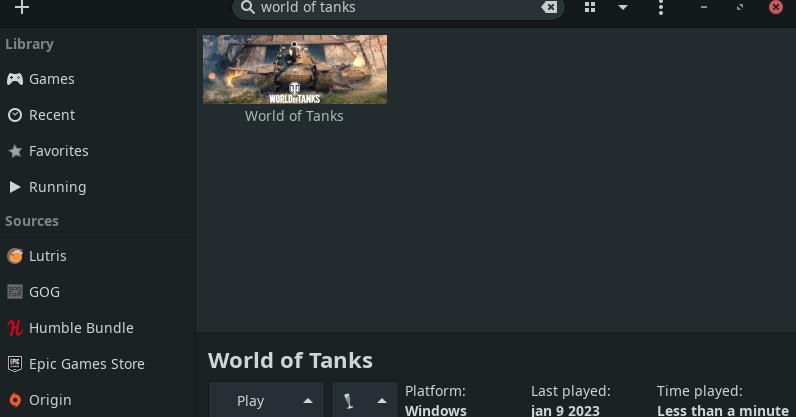
Click the “Install” button and follow the instructions to complete the installation.
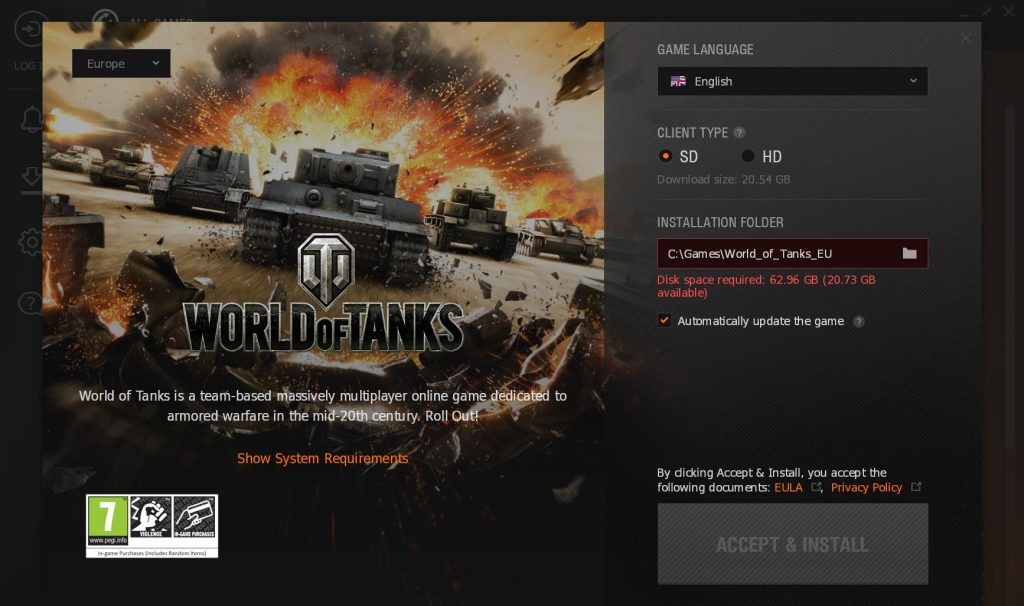
Once the installation is finished, click the “Launch Game” button to start playing World of Tanks. That’s it!
In summary, it’s a straightforward process once Lutris is up and running – just follow the simple instructions.
Happy gaming!

Fortnite on Linux: Release Date, Requirements and Which Distros Will Work
Short answer: Epic Games confirmed on October 14, 2026 that Fortnite is coming to Linux, but there’s…

Best Linux Distro for Developers in 2026: 7 Top Picks by Use Case
The best Linux distro for developers is Ubuntu LTS for compatibility, Fedora Workstation for up-to-d…

Immutable Linux Distros Explained: The Image-Based OS Revolution in 2026
Immutable Linux distros have moved from a niche experiment to a mainstream desktop option in 2026. F…